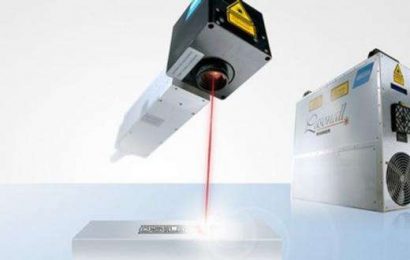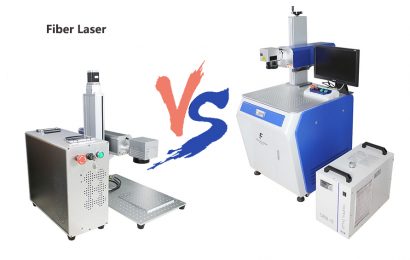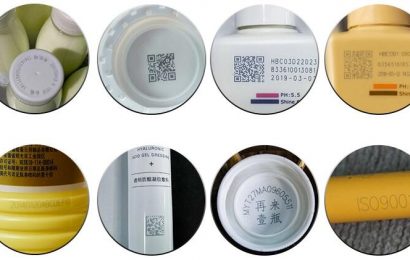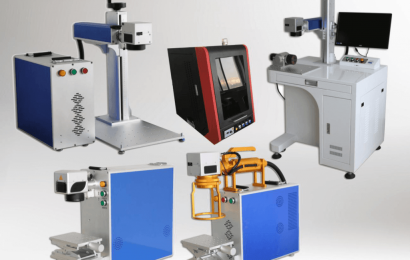

Can the fiber laser marking machine mark pictures and text on the metal mold? The answer is yes. As an industrial metal marking expert, the fiber laser marking machine has the advantages of fast marking speed, high efficiency, long life, and no consumption. Properly operated, the harm to humans is almost negligible. So how about fiber laser marking machine marking on metal molds, today I will bring you a picture tutorial with Chongqing Compal Technology.
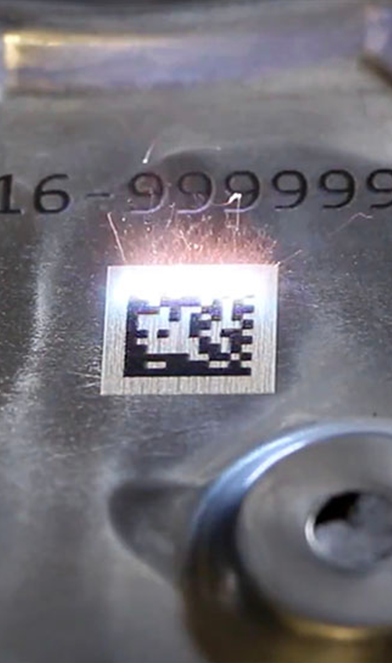
The first step: Open the marking software EZcard, and then make a good graphic. The graphic here is about what you need to engrave. First use the drawing software to make the drawing into line form, then export the PLT format, and then enter the vector file in the marking software start menu to complete the steps as follows:
1. First create a keyboard variable text: create text>enable variable text>add>keyboard.
2. After entering the prompt information, click OK and we will get the corresponding interface.
3. After selecting the Gogo button, you can see the corresponding dialog box pop up.
4. Check the box to enable splitting the string to modify the text object with the specified name, and then click the add button, then the corresponding dialog box will appear. Position of the first character in the string: The starting character in the text of TEXT1 is the first character in the string of keyboard variable text. The total number of characters extracted from the string: extract several characters from the string of the first character set in the keyboard variable text. The name of the text object whose content you want to modify: Enter the name of the fixed text you want to modify the characters read by segmentation.
5. We add two conditions here, one is to modify the object of TEXT1, and take 3 characters from the first character, and the other is to modify the object of TEXT2, take 4 characters from the fourth character. After setting, the corresponding dialog box will pop up again.
The vector content has been designed completely, the next step is to save and export
Save as format as PLT
Step 2: After the above operations, we need to import the vector diagram into the software of the laser marking machine, edit, set the graphic size, and then start to set the parameters step by step.
Filling parameters explain why the filling is done twice here, and the filling type is different. The arc filling marking speed is the fastest, but the marking may have obvious horizontal lines affecting the effect. All the second filling is used With the two-way filling method, the marking speed will be a little slower, but the effect is very good. After filling it twice, the product will be whiter and more beautiful. The next step is to set the marking parameters.
The speed is set to 2000, the power is 45, and the frequency is 30. The marking speed is just right and it will not be slow. The power is not very large, but it is enough to produce good results.
(Marking renderings)
Precautions:
1. Is it possible to have any format? Can the fiber laser marking machine mark any metal?
Picture format jpg/bmp/AI are all available. This is not something that can be played, or to be more precise, not everything can be played clearly. Because the fiber laser marking machine is not a printer, it is more popular. When the fiber laser marking machine marks the image, it is marked according to the resolution of the image. The color of the image is darker and the color is lighter. The color is lighter when it is typed out. The fiber laser marking machine cannot make adjustments to the corresponding color according to the color of the picture. The color marked on the object is different based on the color of the object itself. Some materials can be colored in a variety of colors, stainless steel, and even colorful. However, no matter which color is to be marked, the parameters need to be adjusted appropriately in advance. After adjustment, the parameters are unchanged during the marking process, so if our pictures are rich in colors, but the contrast between the colors is not high, a lot of them will be lost after marking with a fiber laser marking machine. For the details, many places with low contrast may be a color after coming out, and they will be pasted together.
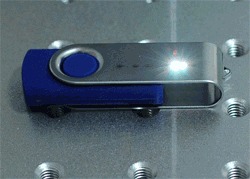
2. How does the fiber laser marking machine software EZCAD mark pictures in JPG or bmp format?
Click the option in the upper left corner, click the input bitmap to import the bitmap, select the bitmap and tick the dot option in the lower left corner, the inversion option depends on the bitmap you use and the material you are playing to determine whether to tick it, and then you click to see the bitmap The parameters are somewhat difficult to adjust.
3. What should I pay attention to before using the fiber laser marking machine?
1. Before operation, check whether the power plug of the equipment is loose and whether the buttons and switches are normal. ?Fix the work piece to be marked or the empty sign on the worktable so that the part to be marked is directly under the laser lens and adjust the distance between the two.
2. Operate strictly in accordance with the start-up steps of the device and do not operate randomly.
3. Don’t process randomly before you don’t understand the composition of the processed parts. Fiber laser marking machine is mainly suitable for metal materials and some non-metal materials.
4. During laser processing, the operator is not allowed to leave the workbench or call someone to replace it at will. If you must leave, you can turn off the equipment and disconnect the power supply.
5. The workbench and its surroundings must be clean and tidy, the processed parts must be placed neatly and orderly, and kept clean and tidy to ensure the smooth progress of the production process.
Fiber laser marking machine equipment before leaving the factory, laser marking machine manufacturers will basically adjust to the best state according to the marking requirements provided by the customer in the early stage, and usually no need to adjust. If the laser’s light output effect becomes poor after long-term use, vibration, production needs, human factors, etc., or the laser needs to be adjusted due to marking requests, the above steps are required to adjust.