
7 common problems when using handheld inkjet printers
As long as it is in use, after the reorganization, there will be some large and small problems, so how should these problems be dealt with?
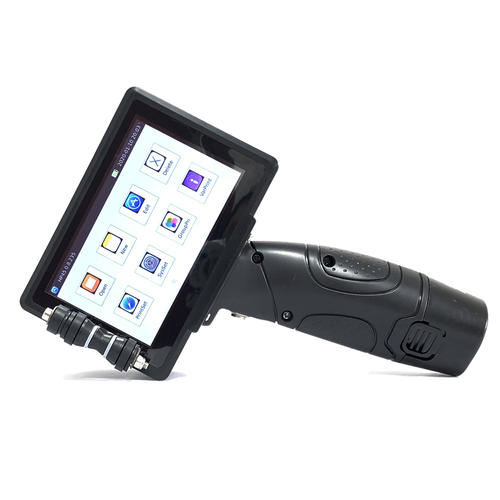
1, the battery life of the handheld inkjet printer
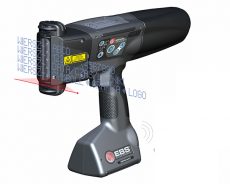
The power supply of the handheld inkjet printer to the flashlight requires a suitable battery. The battery should not be too large. A large battery will directly increase the machine components, which will affect the daily work power and increase the burden on the operator.
Faced with the battery life problem that cannot be avoided by hand-held inkjet printers, and faced with the natural loss of batteries during use, we will have a variety of solutions to replace 2-3 spare batteries, which can be timely when the battery is alarmed Replace the new battery and continue the work. When the new battery is in charge, continue to charge the battery without electricity as a backup. The other solution is the use of uninterrupted power supply, which is equivalent to the handheld printer continuing to connect to the 220V power supply for charging. This situation is suitable for online use of handheld printers. This method can be used when the handheld printer does not need to be moved frequently, and the handheld printer is used as an online high-resolution inkjet printer. It is more convenient and unnecessary. The cost of replacing the battery.
2, the ink cartridge problem of the handheld inkjet printer
The ink cartridges of handheld inkjet printers are generally replaced by HP brand ink cartridges. The print head and ink cartridges are integrated, which is more convenient to replace. The service life and stability are also guaranteed. Depending on the type of ink, there will be slow-drying ink cartridges and fast-drying ink. Various types are suitable for products of different materials. Slow-drying ink is more suitable for materials with better surface permeability. Many users attach great importance to the printing effect. One of the outstanding aspects of handheld inkjet printers is the printing of information content. The resolution is very high, which can reach 300x300DPI, which greatly exceeds the traditional small character inkjet printer, especially in the variable two-dimensional code, variable distribution code, it has natural technical advantages, higher scanning rate, and reading The rate is higher.
3, the problem that the handheld inkjet printer cannot be turned on
The common reason is that the battery is dead or the battery is damaged (such as unable to charge). The treatment and treatment method is to replace the battery. There are a few other problems caused by poor contact. It is recommended to plug and unplug the wiring from the beginning. If it can’t be solved, please contact the manufacturer.
4, the problem of poor printing effect of handheld inkjet printer
Common phenomena include the content of the printed information is blurred, the printed information is incomplete, and some of the information does not flash (for example, only one line or more than one line is printed out for 2 lines of information)
5, the handheld inkjet printer can not enter the system or black screen problem
The common situation is that after the power is turned on, the main interface is always inaccessible, and the machine cannot be operated and used. The processing method is to connect the computer through the data line to flash the machine, which is commonly known as the reinstallation system.
6, the variable QR code may not be printed on the database
With the support of the variable-information printing demand system and software, you must confirm the technical requirements with the manufacturer or supplier when selecting the handheld, so as to understand and prevent in advance to avoid some work impacts Production, the common solution is to ask the manufacturer to upgrade the software to support the application.
7, the hand-held inkjet printer does not print.
Common cases are electric eyes, sensor damage or poor contact. When dealing with the above problems, you need to check whether the synchronizer is working properly and whether the software printing counter is normal. The processing method is to prepare some wearing parts, such as synchronization Drive belt, photoelectric sensor, etc.